Playground
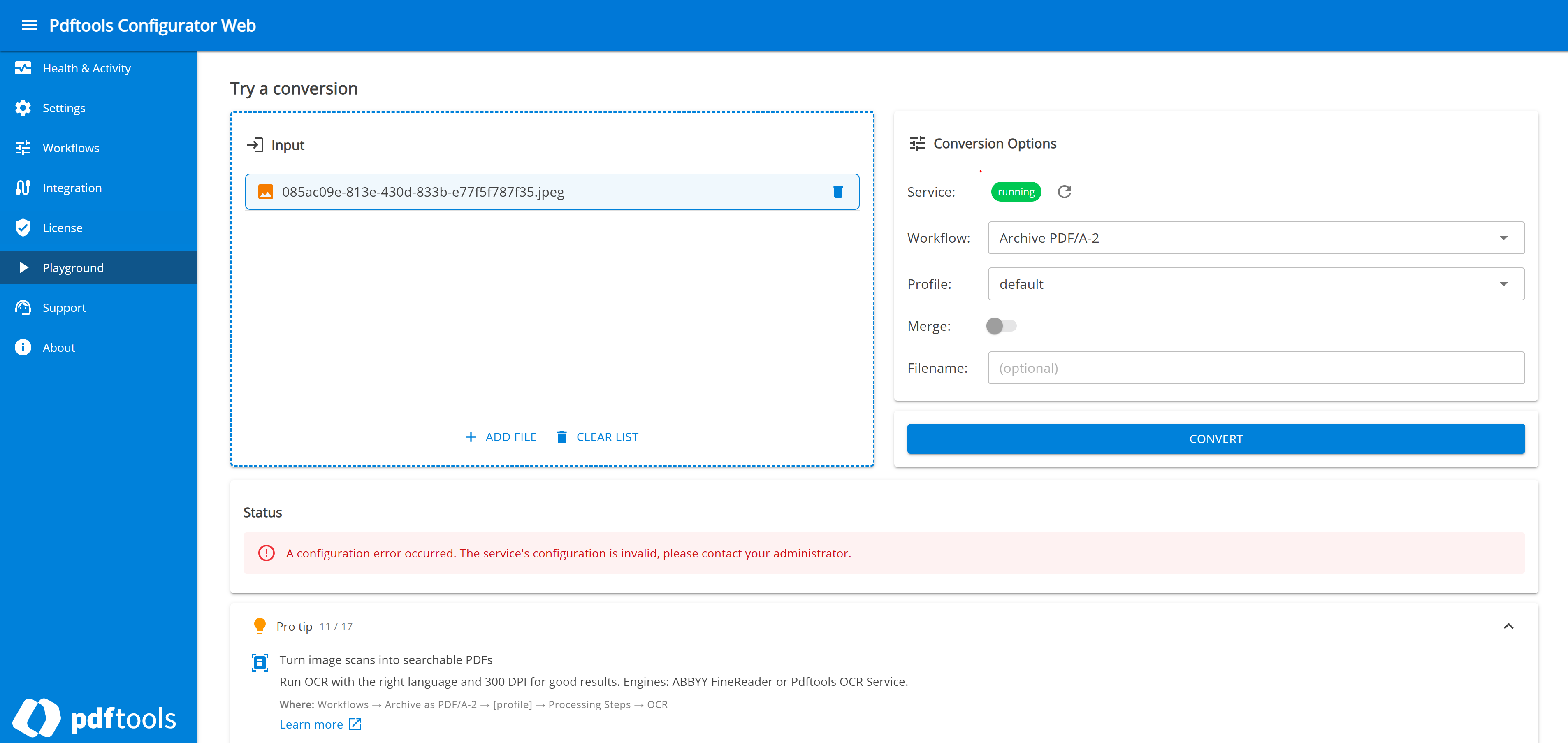
The Playground is the in-browser conversion client of the Configurator Web. It lets you run a conversion against the running Conversion Service directly from the browser: add files, choose a workflow and profile, and download the result without setting up a connector. Use it to verify that a workflow and profile produce the expected output before you put them into production.
The Playground is part of the Configurator Web. It runs only on Linux and Docker. On Windows, use the PDF Client for Conversion Service.
To open the Playground, select Playground in the Configurator Web navigation.
Add files
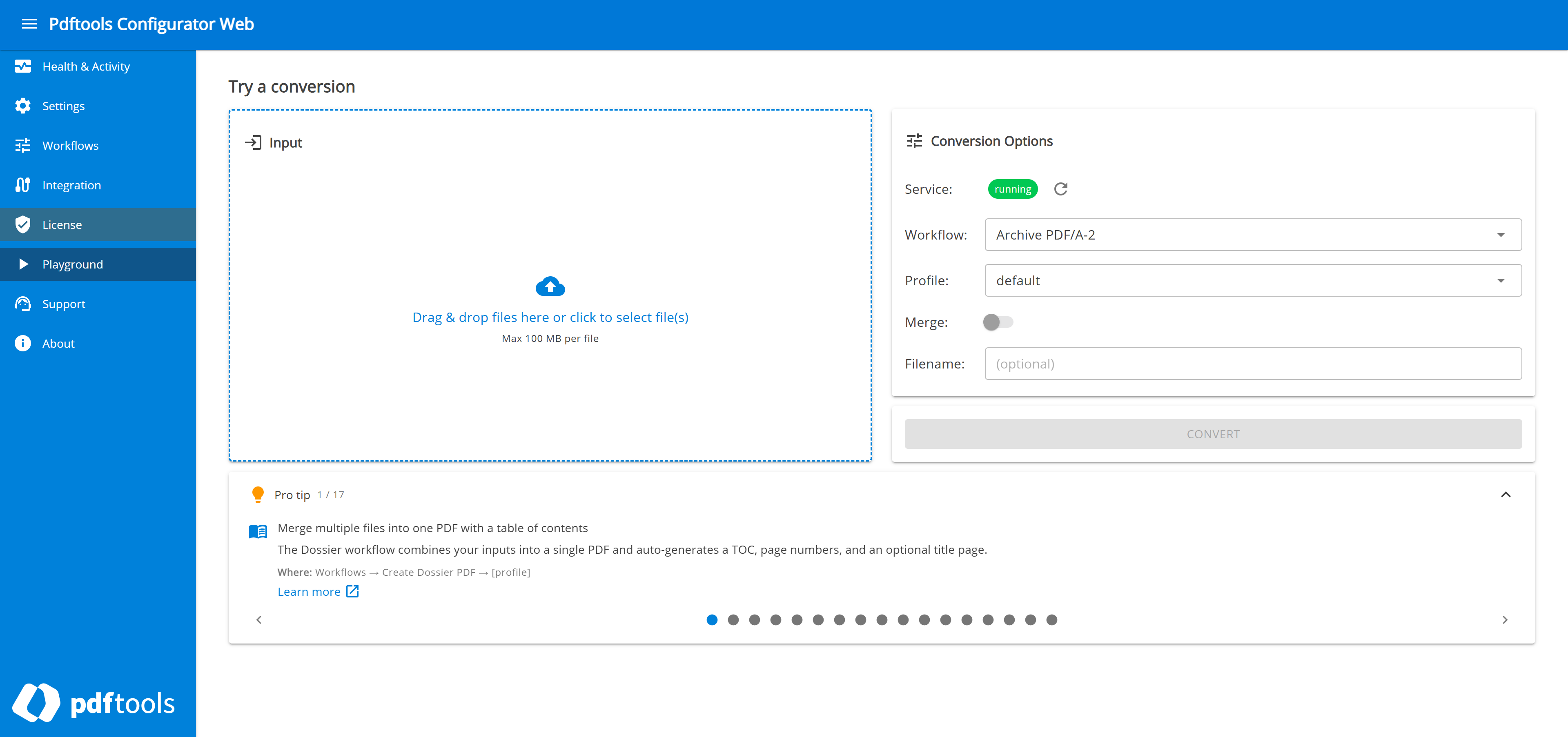
To add files, drag them onto the Input area or click it to select files. Each file can be up to 100 MB. Added files appear in a list, where you can remove a single file or clear the whole list. To add more files, click Add file.
Set conversion options
Set the conversion options in the Conversion Options panel:
- Service: Displays whether the Playground can reach the running Conversion Service. Click Refresh button to recheck the connection.
- Workflow: The workflow to run, populated from the running service.
- Profile: The profile to apply, populated from the selected workflow.
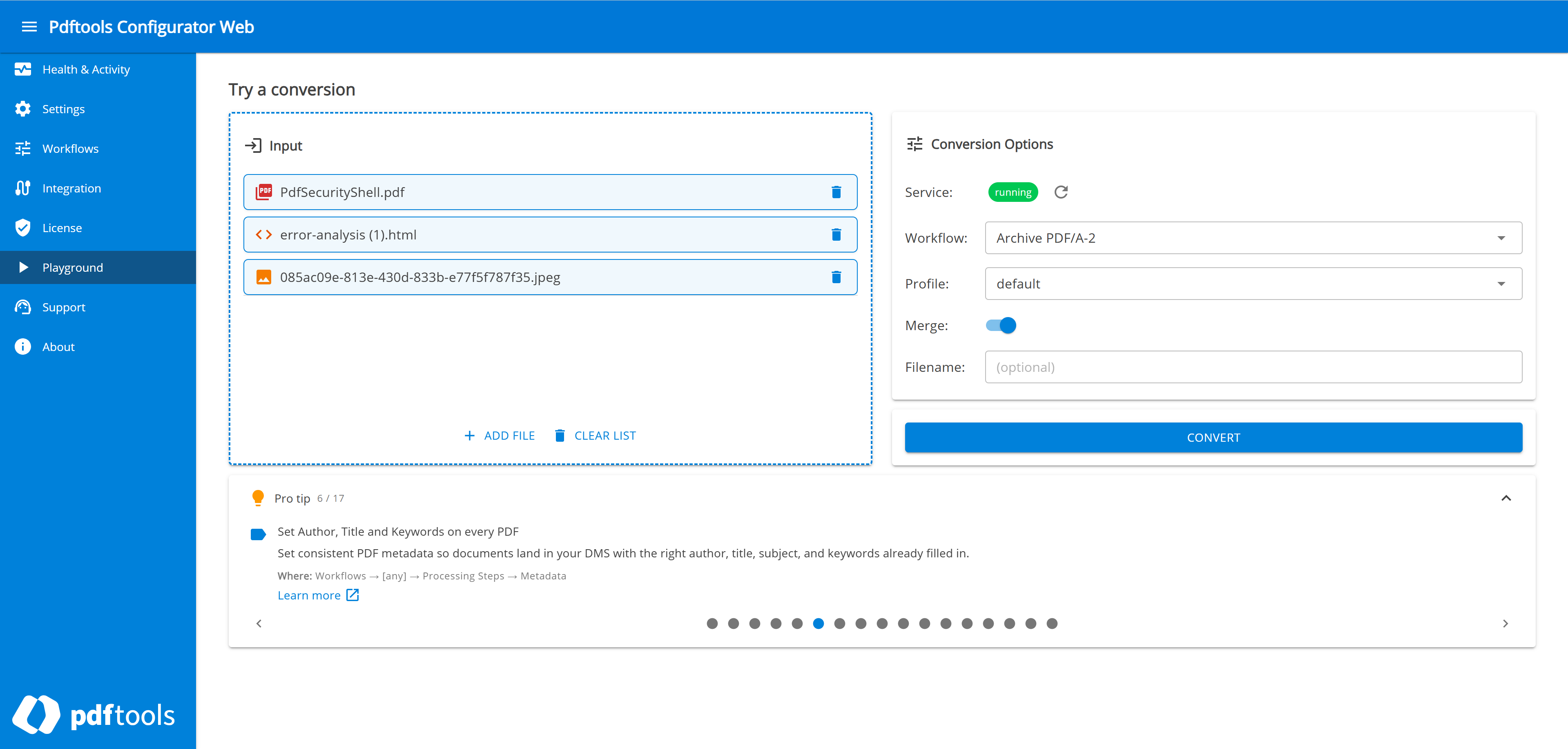
- Merge: Available when you add two or more files. Turn it on to combine the results into a single PDF.
- Filename: An optional name for the merged output.
Run and review the conversion
To start the conversion, click Convert. The button is unavailable until the service is reachable, at least one file is added, and a workflow and profile are selected.
The Status panel reports the progress of the conversion and its result:
- If the conversion succeeds, it lists the output files for download and a collapsible job log.
- If the conversion fails, it displays the error so you can correct the configuration and convert the same files again.