Set up the HITL web application
The Human-in-the-Loop (HITL) web application provides a browser-based interface for reviewing AI-detected entities. Approve or modify detections before redaction. It connects to the Orchestrator API for job management and authentication.
Architecture
The HITL web application is a lightweight frontend that communicates with the Orchestrator service. The Orchestrator manages user sessions, jobs, and the connection to the Manager API.
Set up with Docker Compose
The standard Docker Compose deployment includes the HITL web application:
services:
  smart-redact-hitl-web:
    container_name: smart-redact-hitl-web
    ports:
      - "3000:8080"
    environment:
      ORCHESTRATOR_HOST: "smart-redact-orchestrator"
      VITE_API_URL: "${HITL_ORCHESTRATOR_URL:-http://localhost:9983}"
    networks:
      - smart-redact-network
    depends_on:
      - smart-redact-orchestrator
| Setting | Default | Description |
|---|---|---|
ORCHESTRATOR_HOST | (required) | Hostname of the Orchestrator service. In Docker Compose, use the service name (smart-redact-orchestrator). |
VITE_API_URL | http://localhost:9983 | URL for the browser to reach the Orchestrator API. Override with the HITL_ORCHESTRATOR_URL environment variable. |
| Port mapping | 3000:8080 | The web application listens on port 8080 inside the container, mapped to port 3000 on the host. |
After starting the services with docker compose up -d, access the web application at:
http://localhost:3000
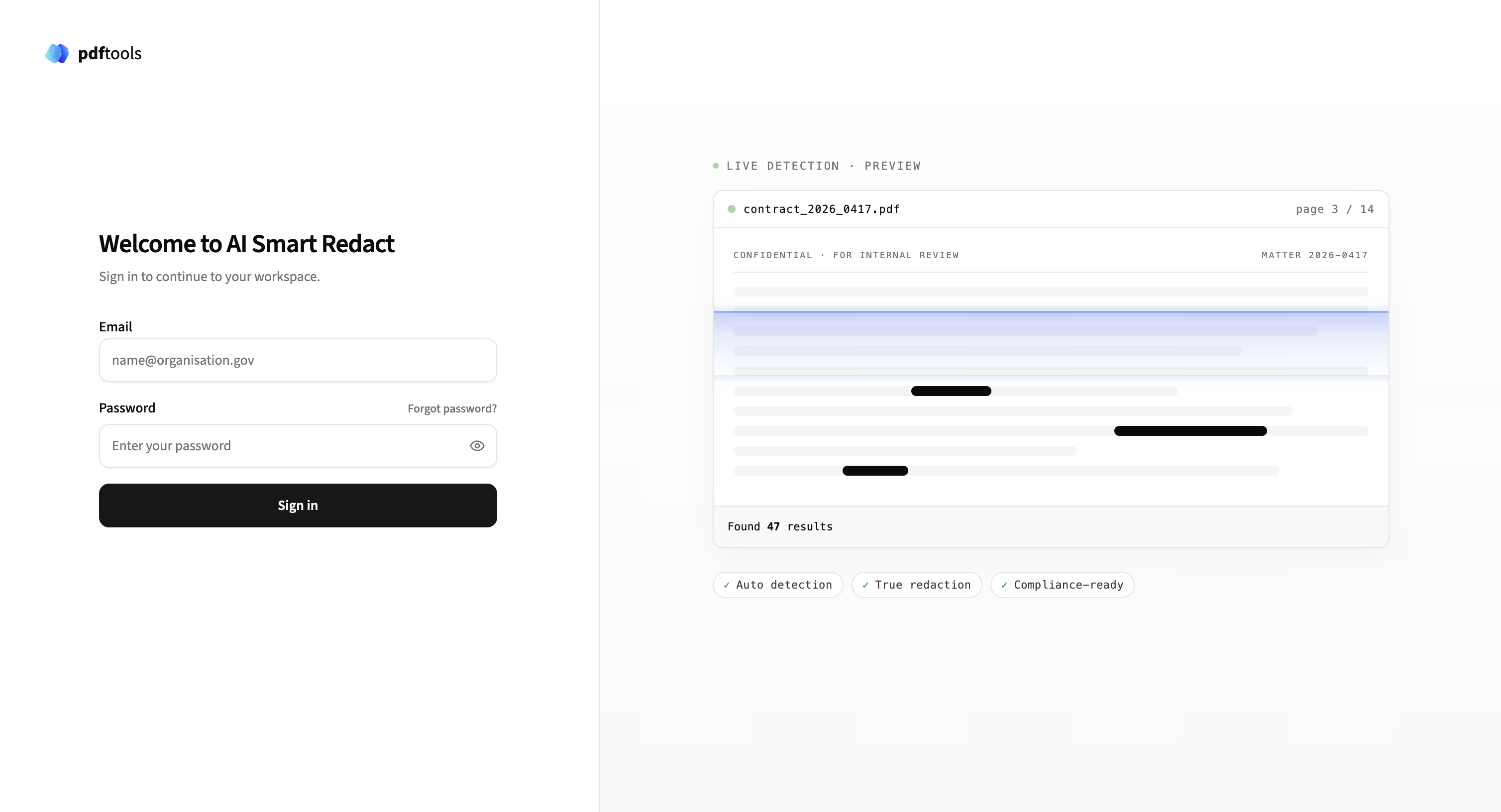
Log in
The HITL web application uses the Orchestrator’s authentication system. Log in with the seeded admin credentials and change the password when prompted. For the default values, password-change flow, user management, and API keys, refer to Authenticate with AI Smart Redact.
Redaction workflow
The HITL web application lets you review and adjust AI-detected redactions before applying them to documents.
Document management
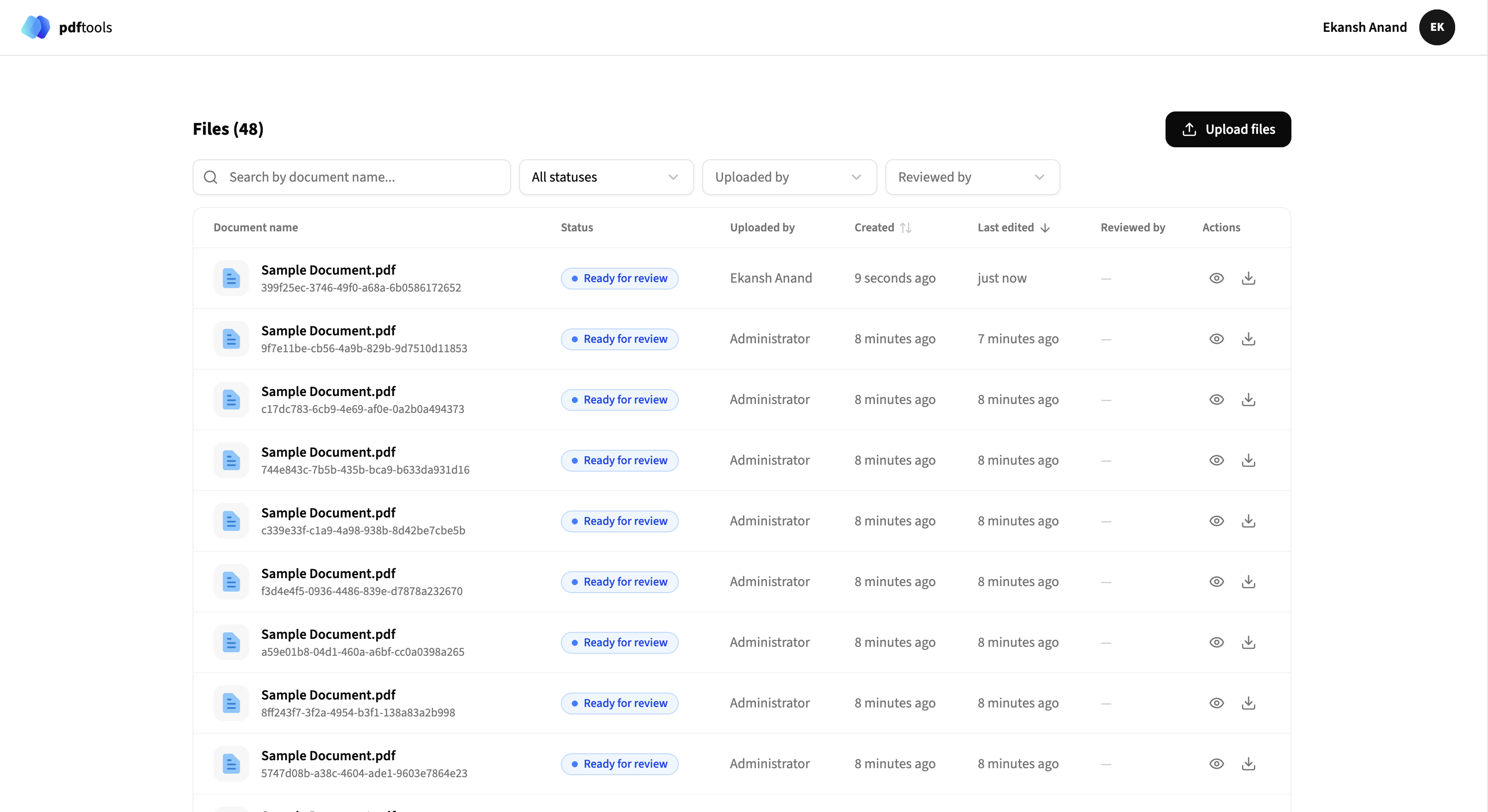
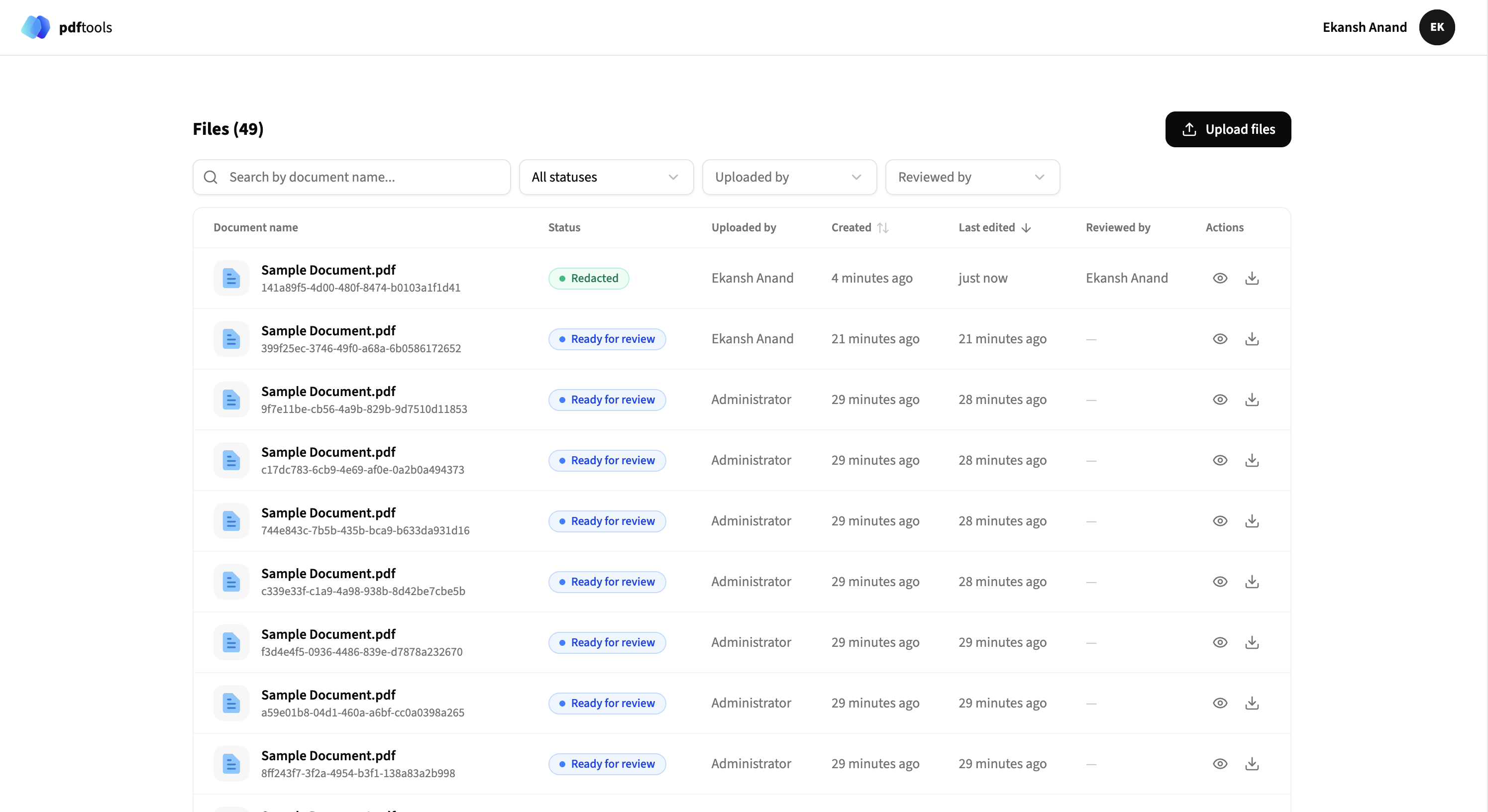
The main view displays a list of all documents with their current status. Documents can be in one of the following states:
- Processing: AI Smart Redact is detecting PII in the document.
- Ready for review: PII detection is complete and the document is ready for review.
- Redacted: The document has been redacted and is available for download.
- Expired: The document wasn’t reviewed before its configured retention period elapsed and is no longer accessible. The default retention period is 24 hours.
Upload documents
Upload documents in two ways:
- Manual upload: Click Upload files to select and upload documents through the web interface.
- API upload: Upload documents programmatically using the AI Smart Redact API.
After upload, the document enters the Processing state while AI Smart Redact detects PII. After processing completes, the status changes to Ready for review.
Filter and search
Use the filter options to narrow the document list:
- Search by document name.
- Filter by status (All statuses, Ready for review, Redacted, Processing).
- Filter by uploader.
- Filter by reviewer.
Review redactions
Click a document with Ready for review status to open the review interface.
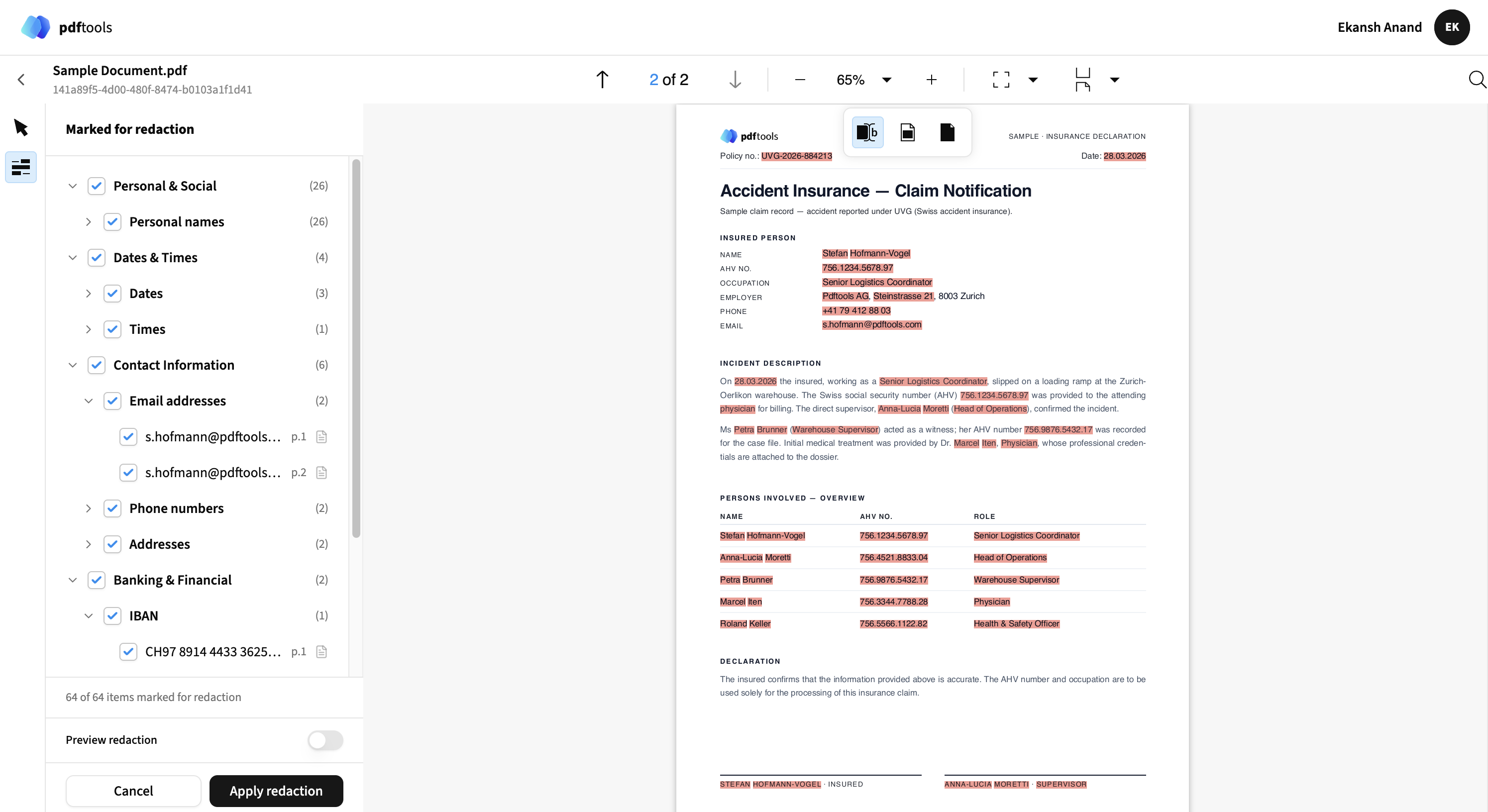
The review interface has two panels:
- Left panel: Hierarchical list of detected PII categories and individual items marked for redaction.
- Right panel: Document preview with highlighted redactions.
Manage redactions
Select or clear categories and individual items in the left panel:
- Category level: Select or clear entire categories (for example, Personal & Social, Banking & Financial).
- Item level: Select or clear individual detected items (for example, specific email addresses or phone numbers).
To add new redactions not detected by the AI, use the annotation tools in the document preview.
Preview redactions
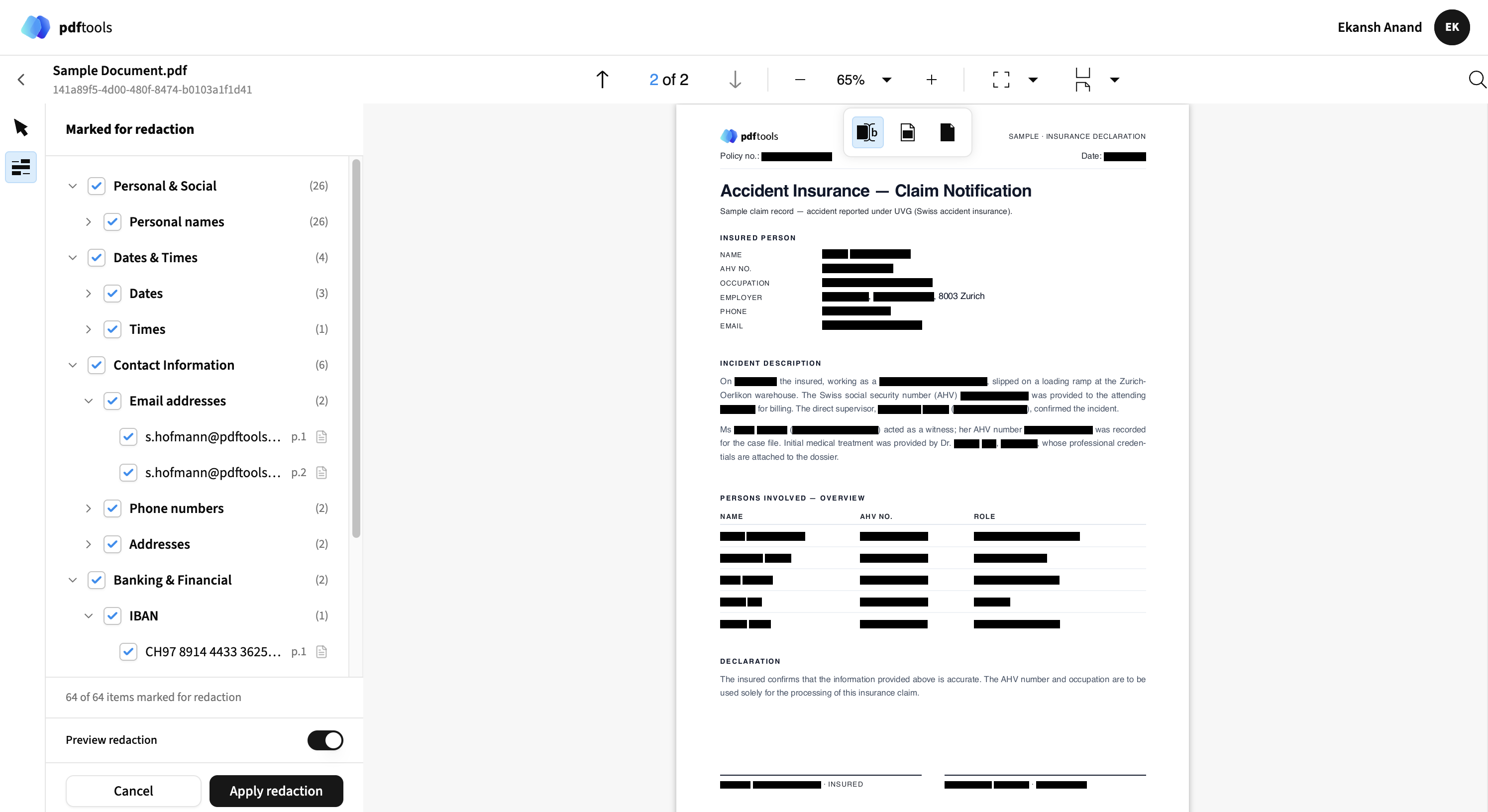
The Preview redaction toggle simulates how the document appears after redaction. When enabled, detected PII appears as black bars, showing the final redacted output.
Apply redactions
After reviewing and adjusting the redactions, click Apply redaction to permanently redact the document. The document status changes to Redacted and appears in the document list with the updated status.
Download redacted documents
Download redacted documents in two ways:
- Web interface: Click the download icon in the Actions column.
- API: Retrieve the redacted document programmatically using the AI Smart Redact API.
Health check
The HITL web application exposes a health check endpoint:
curl http://localhost:3000/
The Docker Compose configuration includes a built-in health check:
healthcheck:
  test: ["CMD", "wget", "-qO-", "http://127.0.0.1:8080/"]
  interval: 10s
  timeout: 5s
  start_period: 10s
  retries: 3