
Compressing PDF/A Files Without Breaking Conformance
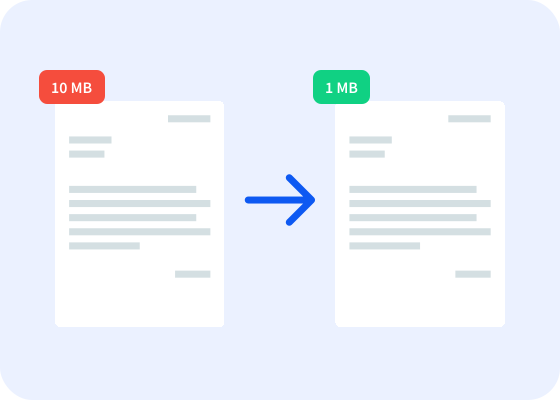
When you think about file compression, you likely think of it as one action. While it is one action from a human perspective, several things are happening on the backend when you compress a file. Since compression is usually at the end of the document workflow, it’s often treated as an afterthought, without a lot of thought given to what the approach to compression is. Depending on what that approach is and how strict the file size requirements are, metadata can be stripped, images will be reduced in quality, and in general, data deemed unnecessary or redundant is removed.
Most of the time, this process is harmless. However, when it comes to archival documents, and PDF/A files in particular, the detailed compliance requirements can make compression tricky. For example, if a bank preparing KYC documents for long-term retention removes the embedded fonts in those documents to achieve a smaller file size, the resulting file will no longer be PDF/A compliant, creating regulatory risk. And, whether you start with a PDF/A file that you need to compress, or start with a file that needs to be both converted to PDF/A and compressed, you can’t overlook validation. Files that claim to be PDF/A but aren’t fully compliant with PDF/A standards won’t stand up to regulatory scrutiny, especially when it could have been caught and prevented with validation.
Common issues with archival PDF compression
When it comes to creating and compressing PDF/A files for archival purposes, there are a few specific issues that tend to trip people up:
Invalidating digital signatures
When approaching archiving and compression with a document that needs to be (or has already been) digitally signed, the sequence of events is the primary workflow concern. Compression inherently modifies the bytes that the signature’s verification checksum covers, breaking cryptographic verification and rendering the signature invalid.
Essentially, there’s no way to compress a signed document and preserve the signature’s cryptographic integrity. This means the only solution is to compress the document before signing, or simply accept that the signed document cannot and will not be further compressed.
Losing data through image compression
Image compression is typically done through re-compressing images with a better algorithm, reducing the quality setting of lossy algorithms, or by downsampling, where the number of pixels in the image are reduced, lowering image’s resolution. Either way, the image can be rendered illegible if compressed too much, which poses a problem when dealing with archival documents that include important images, like medical imaging or accident photos.
PDF/A is designed to ensure documents remain renderable and visually identical decades from now. Compression that degrades image quality undermines the format's core guarantee, as well as potentially running afoul of regulations. For example, Germany’s GoBD regulations apply to all German businesses subject to commercial bookkeeping obligations and require that archived documents cannot contain artifacts or image distortions that impact legibility.
On top of that, scanned versions of documents must match the appearance of the original document, including color accuracy. Post-archival compression methods that degrade image quality directly violate these regulations. GoBD also requires that legibility and readability are maintained for the full retention period (which is 6-10 years for most companies, but can be longer for certain sectors), so an archive that fails GoBD image quality requirements on day one will be non-compliant for the full retention period.
The good news is that it is possible to compress documents while preserving legibility and compliance, with the right approach. Our SDK has granular DPI controls (configurable down to DPI thresholds and target resolution), and the MRC profile has been specifically designed for scanned documents with heavy text content (like claims forms, accident reports, and KYC documents).
That said, regardless of what the specific order of operations is, it’s vital to validate documents at the end of the workflow before archival, and to always keep the original document(s) on hand until the compressed versions have been validated. If a user were to apply the Minimal File Size profile to a 150 DPI scanned claim form, the damage is done, and the original quality can’t be recovered from that compressed file. The original file would need to be reprocessed (which is, again, why an original file should never be discarded until the compressed version has been validated).
Breaking PDF/A Compliance
Aside from the above issues, there’s the larger issue of compressing without breaking PDF/A compliance. To be a true PDF/A file, a file must pass validation to verify that (among other things) all fonts are embedded, all colors are properly defined, and no prohibited features are included, like encryption or interactive content or media. If the compression process strips embedded fonts, modifies color profiles, or affects anything else related to the strict guidelines around PDF/A documents, the resulting file will no longer be PDF/A compliant — and it will most likely also look different.
These failures happen when teams are using general-purpose compression tools and the team, the tool, or both lack full context around PDF/A compliance.
The safest way is to first compress the file (carefully, without stripping fonts, etc.) and then convert it to PDF/A. However, our SDK has an Archive profile specifically designed to compress files with existing PDF/A conformance while preserving PDF/A compliance, such as embedding fonts. Even if you don’t need a file to be PDF/A compliant, the Archive profile is a great way to compress normal PDFs with fidelity.
Compression differences across PDF/A types
There are multiple different types of PDF/A files, and each type comes with its own considerations around compression.
PDF/A-1 is the original PDF/A format, based off of PDF 1.4, and is the strictest of the PDF/A types as far as compliance guidelines go. It’s often the type that has the widest regulatory acceptance in heavily regulated industries and government agencies, but it has the most constrained compression options out of all PDF/A types. For example, JPEG 2000 image compression isn’t allowed in PDF/A-1, because it was introduced in PDF 1.5, after the standards for PDF/A-1 had been created. However, JPEG 2000 compression is allowed in PDF/A-2 and -3, since they came later. It also forbids transparency, which means that if your original document contains transparency, it will look different after being converted to PDF/A-1.
PDF/A-2 introduces better compression capabilities, while still being within conformance guidelines. With PDF/A-2, the list of compression types has been extended by JPEG 2000, and file size can be reduced by using compressed object and XRef streams. If file size is the primary operational concern, PDF/A-2 is often the right archival target (although there are other considerations, including the specific regulations in any given industry or country).
PDF/A-3 has the ability to embed additional files (of any format, compared to PDF/A-2, which only allows specific types). . For example, Germany’s ZUGFeRD hybrid invoicing format includes an XML attachment alongside the PDF, which has negligible file size overhead and introduces additional machine-readability.
In general, the question of which PDF/A type to use for compression purposes is typically a decision between PDF/A-1 and -2. PDF/A-3 only comes into play if attachments are a hard requirement, and in those cases, compression is usually a secondary consideration. In most cases, PDF/A-2 is a solid option, as it combines better compression options with functions that PDF/A-1 lacks (like transparency).
Choosing your archival PDF compression workflow
There are generally two scenarios where these issues around PDF/A compression come up:
A standard PDF needs to be both compressed and converted to PDF/A format before being archived
A document already in PDF/A format needs to be compressed before being archived
In the first scenario, you generally want to compress first, then convert to PDF/A and validate. By compressing the file first, you’re protecting the source quality and avoiding post-archival complications. For example, if you’re working with an image-heavy document, aggressive compression after converting to PDF/A can irreversibly degrade image quality. In that case, the document is PDF/A compliant, but may still run afoul of regulations that involve image legibility in archival documents.
In the second scenario, you need to compress the file in a way that won’t invalidate the PDF/A conformance of the file. This is where specific compression profiles designed to work within PDF/A conformance are vital. Use the Archive profile to reduce file size while respecting PDF/A conformance requirements. Of course, if you don’t trust your incoming document, it can make sense to validate it first before using the Archive profile.
If you’d like to see it in action, you can test out our SDK today. It offers fast and accurate results even with large volumes of documents, developer tooling that can integrate with your existing enterprise systems, and is trusted daily by our customers in banking, insurance, government, and other high-regulation industries. If you have any questions about how it can work at your organization, feel free to get in touch!