
The hidden layers of PDF redaction
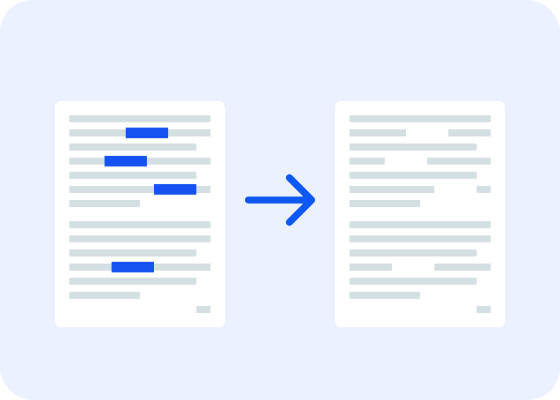
Being able to securely and completely redact documents is a necessity across industries, especially those with strict compliance requirements and regulations around personally identifiable information (PII). The issue is particularly challenging with PDFs due to their complexity as a file type. They might look the same on every device you view them on, but they hold significantly more information than what you can see. That complexity makes it critical for organizations to understand how PDFs store data and to take extra steps to fully remove sensitive data during the redaction process.
When you think about document redaction, you likely picture documents with blacked-out text…but visually obscuring information with the ubiquitous black boxes is not the same as redacting the information. The sensitive information in question needs to be completely erased from every source (including OCR layers, metadata, and other data leaks), not just masked to human eyes. This is the pitfall that the European Commission fell into in 2021 when sharing their AstraZeneca vaccine contract. The main text had been successfully redacted — but when readers looked at the document’s bookmarks, sensitive data that was meant to be redacted was clearly visible.
The best way to approach PDF redaction is by combining AI automation with human oversight to create a modern redaction workflow that’s efficient and secure.
The hidden layers of redaction
Let’s say you wanted to hide the text on a webpage and did so by changing the font size to be illegibly small and making the text color match the background exactly. That would make it invisible at first glance, but someone could easily read the text by looking at the source code. To completely remove data from the page, you need to remove it from the code itself. The same rule applies to PDFs — removing the invisible information they contain is vital to creating thoroughly redacted documents.
To understand why complete redaction can be so challenging, you need to understand PDFs as a file type. PDFs were created in the early 1990s with one goal: creating documents that would look exactly the same on every device they were viewed on, regardless of screen size, operating system, or any other aspect of machine configuration. When two people open a PDF, they are always going to see the same information displayed the same way, from formatting to fillable fields to font choices and sizes.
That focus on universal appearance is where a lot of the quirks of PDFs as a file type come in. They may look like text-heavy documents, but the way they function is more like a stack of independent content layers, including text, vector illustrations, images, metadata, annotations, and more. All of those layers have the potential to contain sensitive data, and often in ways you might not expect. For example, a PDF might contain multiple fonts. Each font is a collection of glyphs — the actual appearance of the letter. Arial, Times New Roman, and Comic Sans all have their own glyph for any given letter or symbol. When a PDF file still has font dictionaries embedded in it, those dictionaries specify the width of specific glyphs in specific fonts. Using that information, an enterprising bad actor can reverse-engineer what a redacted word or phrase is, based on the width of the redaction.
Another possible angle of approach is that optimized fonts only contain the set of letters actually used in the document, and that set of letters will be visible to anyone viewing the font dictionary. That data can also be used to reverse-engineer a redacted word, especially when combined with the glyph-width data. And those weaknesses come solely from embedded information about fonts used in a document — hardly a vector that most people would think of as a security risk.
To fully destroy the redacted information, you need to delete any references to it and anything that could be used to figure out what was redacted. That includes:
Font dictionaries
Embedded metadata
Bookmarks and annotations
Text layers added via OCR
Content streams
Any other hidden layers and/or artifacts
Common PDF redaction mistakes
Masking without removal
This is far and away the most common mistake. In an attempt to redact sensitive data, users draw a black box directly over the text in a PDF editor or highlight the sensitive text in black. As noted, though, this is very easy to work around. The reader can usually just highlight/copy the “redacted” text and paste it into a new document to read it.
The potential complications run deeper than that, though. Even if the visible in-document text itself was fully removed and wasn’t copy-pastable, there are other ways that it could be reverse engineered. Font dictionaries are one example, as discussed above, and other sources of invisible data (more on that in a moment) are also a risk. To be successful, redaction must be approached as a structural issue that involves heavily modifying the data contained in the file, rather than a visual issue that just requires hiding information from human eyes.
This is why a deep understanding of PDF structure and function is critical to secure redaction processes. The best way to ensure information has been fully removed is to create a new PDF that contains only the information you want it to contain, and nothing else.
Not removing invisible data
The aforementioned issues with the European Commission’s redaction of their AstraZeneca vaccine contract issue is one example of this, and bookmarks aren’t the only place that sensitive information can hide. For another example, let’s revisit the topic of PDF structure and function — specifically content streams.
The content in a PDF is stored in compressed binary streams, not plain text. These content streams contain instructions detailing the elements to be drawn on any given page, including glyphs (what we read as text), as well as images, graphs, tables, etc. Decoding is required if you want to edit a content stream, and the binary architecture of said streams is not one that the majority of developers/engineers will be immediately familiar with. This, again, points to the value in creating a new PDF that’s fully redacted from the jump, rather than trying to remove or modify the data in an existing PDF.
Other places that redacted information can be hidden in include:
Comments and annotations, which can contain references to redacted content
Revision history, because tracking changes can potentially reveal deleted content
Document metadata, including the author name, creation date, last modified date, etc.
Embedded images and their metadata, which could include identifying information in the descriptive text or file name
Embedded or attached files, as it’s possible to (for example) attach an Excel file and then obscure the excerpt of it that was shown in the PDF, without removing the attachment itself
The document properties, which contain the font dictionaries, among other information
OCR complications
Optical character recognition (OCR) is the process that takes text in a printed document and digitizes it. It’s commonly used to scan printed documents and turn them into PDFs. It’s an invaluable tool for many organizations and is one way you can extract text from a scanned PDF, but it also comes with specific redaction concerns.
When a scanned document goes through OCR, a hidden text layer gets added behind the visible layer (the image of the scanned document). That text layer can be selected, copied/pasted, and searched, and it doesn’t always visually match the image of the text perfectly. If you’ve ever selected text in a scanned document and the selection box appears slightly off-center from the word itself, that could well be an OCR quirk.
The addition of that invisible text layer is why OCR can cause complications in redaction workflows. The entire text layer can be extracted from the PDF file by someone who knows how to do it. But even if they aren’t that tech savvy, if a document was redacted after going through the OCR process, that hidden text layer can also make it possible for them to copy and paste the “redacted” text. For secure redaction, that invisible text layer needs to be completely removed from the PDF.
Redaction and compliance
In industries where compliance is required, the consequences of insecure redaction are serious, including expensive fines and regulatory penalties. A recent IBM report also showed that, across industries, attackers most consistently targeted customer PII in data breaches, emphasizing the importance of keeping that information secure. The world’s gold standards for data protection, like GDPR, HIPAA, LGPD, PDPB, and CCPA, all require irreversible data removal, with failure resulting in steep fines (up to 4% of a company’s annual global revenue, in the case of GDPR). To keep things above board in a compliance-focused industry, an organization needs predictable processes, detailed audit logs, and verifiable removal.
So what does the ideal redaction workflow look like?
Creating a secure redaction workflow
Manually redacting documents is tedious, inefficient, and introduces human error, but relying solely on AI redaction also comes with risks, no matter how well-trained your AI is. Under-redaction and exposing PII is a risk, but over-redaction is also a possibility and comes with its own risks. For example, in late 2025, the Missouri Supreme Court updated their rules to limit redactions to confidential information and require “good cause” for additional redactions, partially as a response to lawyers over-redacting court documents with automated tools. Similar legislation might become more common in the future, but in the meantime, over-redacting can also lead to increased administrative overhead, as people have to retrace their steps to replace important information that was unnecessarily redacted.
For a real-world example, one of our insurance customers has developed an internal AI engine for their know your customer (KYC) process. They wanted to train the AI engine on previous cases, without influencing the training with genuine customer data. Any given dossier can consist of both emails and digitized, structured notes from phone calls, but both PII and any references (whether direct or indirect) to other accidents must be redacted. By redacting all of this information, they’re able to create documents that are relevant to their domain, without giving PII to the AI engine or influencing the engine with irrelevant details.
The best way forward is a workflow that includes automation, but requires human review before redaction is finalized and applied, with a final thorough review of the redacted document. There are multiple upsides to this approach when compared to either fully automated or fully manual redaction:
Increased efficiency compared to fully manual redaction
Reproducible outcomes that minimize opportunities for human error
Auditability, which is impossible to achieve with fully automated redaction but is a key factor in many regulatory agencies’ guidelines for redaction (for example, the Information Commissioner’s Office explicitly states that exemptions and redactions should be reviewed to check for consistency and that records should be maintained documenting who did the redaction, on what date, and why)
Final documents that can withstand both regulatory scrutiny and any attempts from bad actors to extract redacted data
All of this should be done while keeping an eye on the primary goal of redaction: to completely eliminate sensitive information, rather than hiding it.
The ICO guidelines referenced above also make it clear that training and supervision is important to maintaining compliance with these workflows, and similar guidelines are fairly standard when it comes to compliance regulations. Anyone in your organization involved in the redaction workflow should receive specific training on how to use any AI/automated tools and what to look out for. For example, names are often difficult to redact automatically, since there isn’t a pattern-detection rule that will always work for every name, the same way there is for something like a social security number. Even after training, work should regularly be sampled and reviewed to make sure that documents aren’t being over- or under-redacted.
Here’s an example workflow with AI Smart Redact:
The user uploads the PDF to be redacted and the detection engine analyzes it
After analysis, the user receives suggestions for what information to redact, along with the confidence rate and risk rate of the suggestions
Those suggestions are shown to the user, who can delete them or leave them as-is
The user can add more redactions manually before saving the redacted PDF
After those steps have been completed, the visible, non-redacted information is copied into a new PDF, without any additional metadata or other hidden data included. In other words, rather than hiding existing data, only the visible data is duplicated. This sanitization approach removes the possibility of metadata or hidden elements including non-redacted information.