Release notes
Learn about the changes, additions, and fixes in the PDF Viewer SDK.
Version 5
The following sections provide updates in version 5 of the PDF Viewer SDK.
Version 5.18.0
20 August 2026
Added
- The thumbnails panel includes a counterclockwise rotation icon, letting viewer users rotate pages by -90°.
- The
annotationColorsoption inViewerConfiglets you define the color palette that viewer users can pick from annotation color pickers, either for all annotation types or per annotation type. To read or change the palette at runtime, use thegetAnnotationColors()andsetAnnotationColors()methods onPdfToolsViewer.
Changed
- The text highlight top bar is replaced with a popover, following viewer design principles and improving user experience.
- On mobile and tablet devices, the viewer defaults to fit-to-page mode when opening documents.
Fixed
- Before this update, setting the
themeoption inViewerConfigduring initialization did not apply the theme when it differed from the operating system preferences. With this update, the viewer correctly applies the configured theme regardless of OS preferences. - Before this update, read-only form fields were editable. With this update, the viewer correctly prevents editing of read-only form fields.
Version 5.17.1
14 July 2026
Fixed
- Before this update, some documents displayed an unnecessary horizontal scroll bar, even when there was no visible horizontal overflow. This update ensures that the viewer correctly accounts for page rotation when calculating the document layout, preventing the unwanted scroll bar from appearing.
Version 5.17.0
8 July 2026
Added
- A theming manager handles viewer CSS tokens with predefined light and dark themes. The
themeoption inViewerConfigselects the active theme ('light','dark', or'auto'for system preference). Developers can register custom themes usingcustomThemesand override theme variables at runtime. Methods onPdfToolsViewer:addTheme(),clearThemeVariableOverrides(),getAvailableThemes(),getTheme(),overrideThemeVariables(), andsetTheme(). - Viewer users can remove annotations using an eraser tool in the sidebar. Dragging a path deletes all overlapping annotations. A redaction-specific eraser removes only redaction annotations. Deleted annotations disappear from the document view, the annotation panel, and the redaction panel.
- The PDF Viewer SDK displays an alert when users close the tab or open a new document with unsaved changes. The
promptOnUnsavedChangeoption inViewerConfigcontrols this behavior (enabled by default). - The
disableMultipleImageInsertoption inViewerConfigdeactivates the image annotation popover after each image is placed, preventing multiple insertions of the same image.
Changed
-
Theme configuration replaced
The
customCssVarsconfiguration option is replaced bycustomThemesinViewerConfig, letting developers register semantic theme definitions at initialization. Athemeoption selects the active theme.Migration: Replace
customCssVars: { '--var': 'value' }withcustomThemes: { myTheme: { interactive: { primary: '#value' } } }and settheme: 'myTheme'.
Fixed
- Before this update, annotations on rotated pages were positioned incorrectly and couldn’t be selected for editing. This affected free-text, stamp, sticky note, line, ink, shape, text markup, and redaction annotations. With this update, annotations respect page rotation. As a result, annotations display and behave correctly on rotated pages.
- Before this update, resizing an annotation to a small size and then zooming sometimes caused rendering errors and unstable behavior. With this update, viewer users can resize annotations to any size and zoom without rendering issues.
Version 5.16.0
26 May 2026
Added
- Viewer users can fill in PDF form fields, toggle checkboxes and radio buttons, type into text boxes, and select options from combo boxes and list boxes. The PDF Web SDK exposes these form fields through the
Formsnamespace withCheckBoxWidget,RadioButtonWidget,TextBoxWidget,ComboBoxWidget, andListBoxWidgetclasses. - Developers can configure automatic navigation to a PDF’s initial destination using the
useInitialDestinationoption. Set this option inViewerConfigduring initialization or pass it toDocument.open(). When enabled, the viewer navigates to the PDF’s initial destination (if defined) when it opens. - The
hidePasswordDialogCancelButtonoption inViewerConfiglets developers hide the cancel button in the password dialog. As a result, users must enter a password to proceed. - New localization methods on
PdfToolsViewerenable runtime language management:addLanguage(): adds a new language at runtime.customizeTranslations(): overrides specific translation strings.getAvailableLocales(): lists all available locales.getLocale(): returns the current locale.setLocale(): switches the active locale (supports'auto'for browser detection).
- The npm package includes third-party open-source license texts in the
licenses/directory. Seelicenses/MANIFEST.txtfor the full list of components.
Changed
- The
hideComponents(),showComponents(), andoverrideButtonBehavior()methods accept component names instead of path-based references. A type alias provides strict typing for all valid component names. - The file upload control is disabled while a document is loading, preventing users from uploading another file during the process.
- The viewer preserves the zoom level, fit mode, and page layout when opening a new document.
- The note annotation dialog has an improved layout and full keyboard accessibility.
- The password dialog has an improved layout and full keyboard accessibility.
- The print dialog dots per inch (DPI) selector displays a tooltip explaining each DPI value on hover.
Breaking changes
-
Localization configuration renamed
The
customLocalisationFileconfiguration option is replaced bycustomTranslationsinViewerConfig, letting developers provide translation overrides directly in code instead of loading external files. Thelangproperty is replaced bylocale, which supports built-in and custom locales, as well as automatic browser detection.Migration: Replace
customLocalisationFile: 'path/to/file.json'withcustomTranslations: { en: { key: 'value' } }. Replacelang: 'en'withlocale: 'en'. -
AnnotationTypeenum values renumberedThe
AnnotationTypeenum values have shifted to accommodate form widget members (CheckBox19,RadioButton20,TextBox21,ListBox22,ComboBox23). Affected values:Screen19→24,PrinterMark20→25,TrapNet21→26,Watermark22→27,Redact23→28,3D24→29.Migration: Use the named enum members (
AnnotationType.Redact) instead of raw integer values.
Fixed
- Before this update, printing on mobile devices failed silently or produced blank output when triggered from the print dialog. With this update, the print flow correctly renders document content on iOS and Android devices.
- Before this update, embedding the viewer in CSS flex or grid containers caused layout overflow and scrollbar issues. As a consequence, the viewer did not size correctly within modern CSS layouts. With this update, the viewer respects container constraints. As a result, the viewer displays correctly in flex and grid containers.
- Before this update, running multiple viewer instances on the same page caused style conflicts and rendering errors. With this update, viewer instances are properly isolated. As a result, multiple viewers can run simultaneously on the same page.
Pdftools removed PDF Viewer SDK versions earlier than 5.16.0 from the customer portal and delisted them from the public package repositories. Versions 5.16.0 and later remain available.
Version 5.15.1
29 April 2026
Added
- The
Annotationclass supports storing custom data through theprivateDataproperty of typestring. The property persists across save and load cycles, letting applications attach domain-specific metadata to each annotation. - The Document API emits a
pageRenderedevent when a page finishes rendering. The event payload is the rendered page number.
Changed
- The
addAnnotation(),deleteAnnotation(), andupdateAnnotation()methods onviewer.documentaccept either a single annotation or an array of annotations, supporting batch operations with a single call. - The
viewer.document.getPage()method returns aPagesynchronously instead of aPromise<Page>. Update existing code to callviewer.document.getPage(pageNumber)directly, withoutawait.
Fixed
- Before this update, setting
ViewerConfig.devicePixelRatiocaused the viewer to crash at browser zoom levels other than 100% because the calculated canvas dimensions didn’t match the rendered buffer. As a consequence, viewer instances that configureddevicePixelRatiofailed whenever users zoomed the browser. With this update, the viewer derives the effective device pixel ratio from the rendered buffer size. As a result, the viewer renders correctly at any browser zoom level. - Before this update, text selection under certain circumstances ended one character before the end of the selected word. As a consequence, viewer users couldn’t include the final character when selecting a complete word. With this update, the text-selection logic includes the last glyph in the range. As a result, viewer users can select complete words.
Version 5.15.0
16 April 2026
Added
- Viewer users can create ink annotations (freehand drawings) on PDF documents, customize the stroke color, opacity, and line width, erase parts of the drawing, and edit annotations by moving, resizing, locking, or deleting them.
- Developers can set the annotation author using the
useroption inViewerConfigduring initialization, or thesetUser()method onPdfToolsViewerat runtime. ThegetUser()method returns the configured user. The viewer applies this value when creating or editing annotations. - The
document.addAnnotation()method lets developers add annotations to PDF documents programmatically. - Developers can configure the device pixel ratio (DPR) using the
devicePixelRatiooption inViewerConfigto balance rendering sharpness and performance. Higher values increase sharpness, while lower values improve performance. - Viewer users can navigate sidebar panels with the keyboard, move the focus between elements using the Tab key, navigate menu items with the arrow keys, and activate buttons with the Enter or Spacebar keys.
Changed
- The
viewer.initialize()method throws an error when called on an already initialized viewer instance. Developers must dispose of the existing instance before reinitializing. Useviewer.addEventListener("PdfTools.viewer.initialized")to detect when initialization completes. - Updated embedded fonts for improved license compliance.
Fixed
- Before this update, the lock/unlock button in the sticky note modal didn’t reflect the current annotation state. With this update, the button stays synchronized with the contextual menu.
- Before this update, viewer users couldn’t create redaction annotations on touchscreen devices. This has been resolved.
- Image upload validates file types and prevents viewer users from selecting unsupported formats.
- The thumbnail panel displays equal left and right margins.
- Redaction annotations are included when saving documents as FDF.
Version 5.14.0
3 March 2026
Added
- Viewer users can create rectangle and ellipse shape annotations. Users can customize the border color, fill color, and border width, and edit these annotations by moving, resizing, locking, or deleting them.
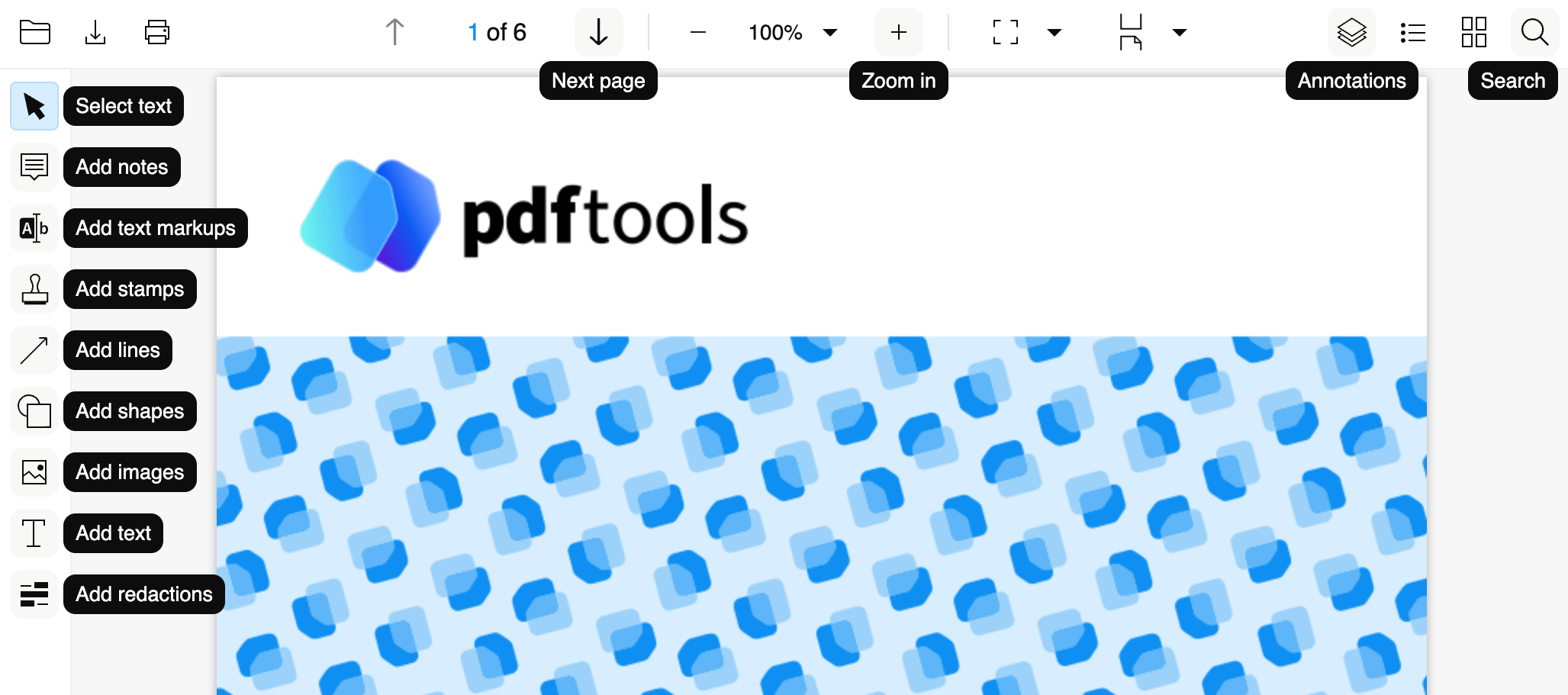
- Toolbar buttons display dark-themed tooltips on hover.
- PDF Viewer SDK supports FDF (Forms Data Format). Save or download documents as FDF by setting the
saveAsFdfoption totrue:viewer.document.save({saveAsFdf: true}); - A loading spinner and progress bar provide visual feedback while the viewer uploads and opens documents.
- Viewer users can set the input document parameter when initializing the viewer to skip the document upload screen:
viewer.initialize({inputDocument: {uri: 'url_to_a_file'}, ...});viewer.initialize({inputDocument: {data: file}, ...});
Changed
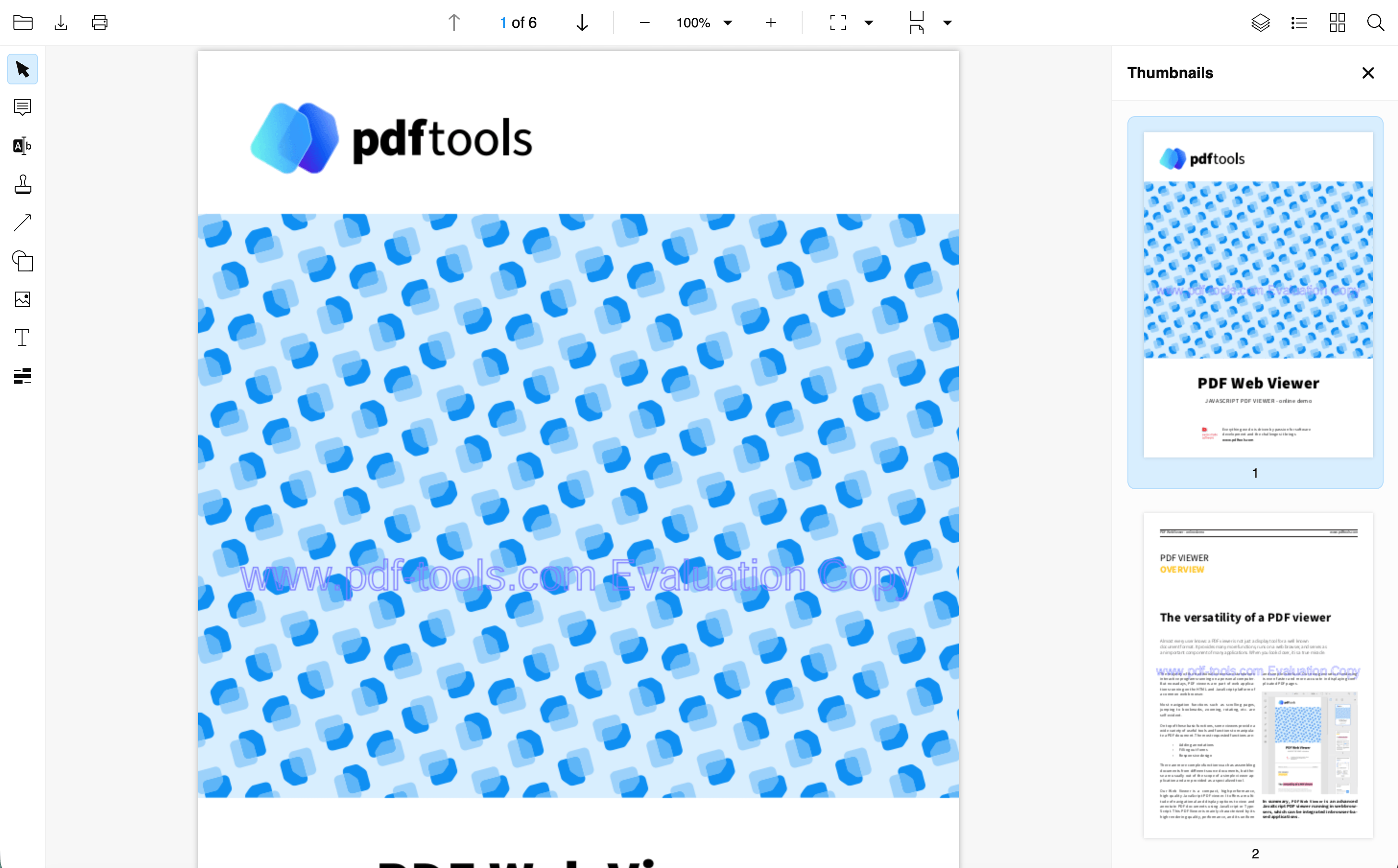
- Redesigned the thumbnails panel. The active page displays with a blue highlight.
- Toolbar dropdown components (zoom, fit mode, page layout, and pagination) close automatically when users click outside or open another dropdown.
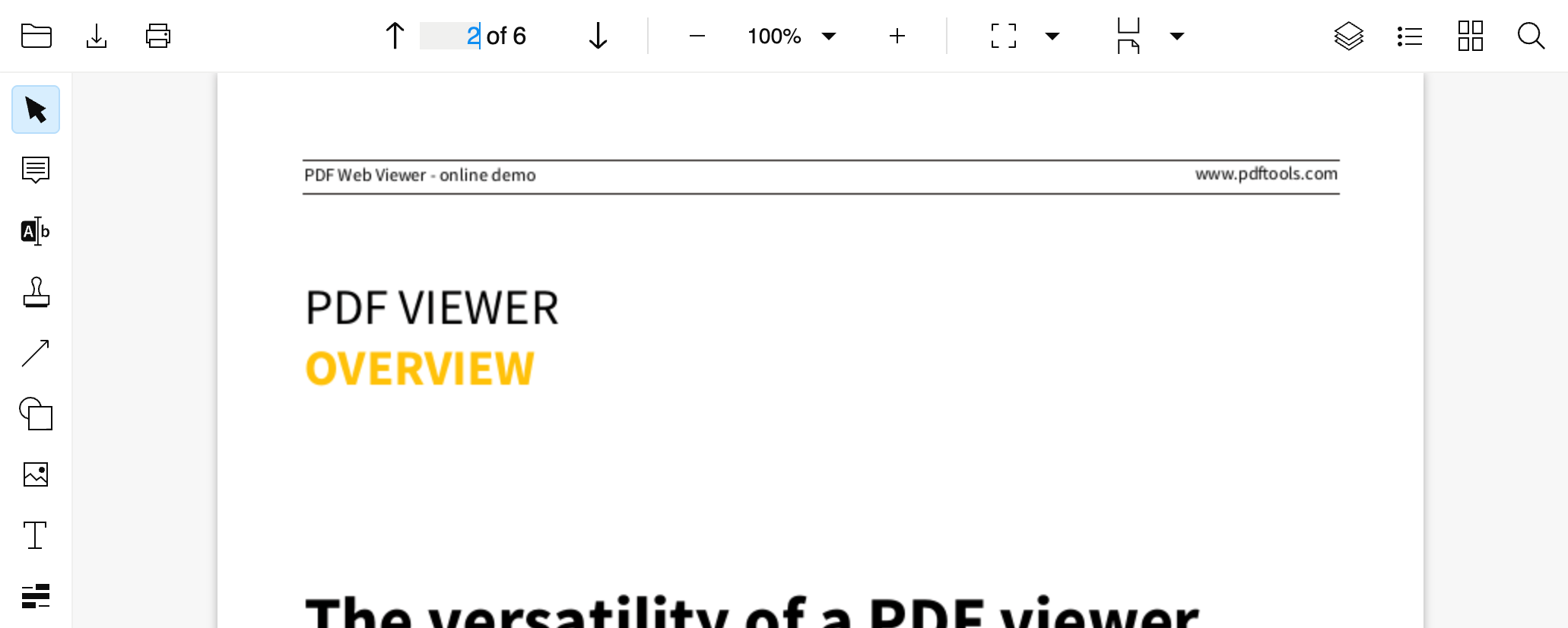
- The pagination component supports page number input, letting users navigate to a specific page directly.
- Updated icons throughout the viewer, including the file open icon and line ending icons in the annotation popover.
- Redesigned the document upload screen.
- Rewrote the document opening flow, removing code duplication and memory leaks.
Fixed
- Toolbar icons no longer shift position when navigating to pages with two or more digits.
- Dropdown panels (zoom, fit mode, layout, and annotation popovers) no longer overlap. Opening one panel closes any other open panel.
- Opening the search or thumbnails panel no longer deactivates the active plugin.
- The sticky notes popover closes immediately when activating stamp or redaction plugins, rather than waiting for the sidebar to open.
- Before this update, the app layout used a deprecated layout system. As a result, page margins were inconsistent on mobile and tablet devices. With this update, the app layout uses a consistent margin system across desktop, mobile, and tablet devices.
Version 5.13.0
23 January 2026
Added
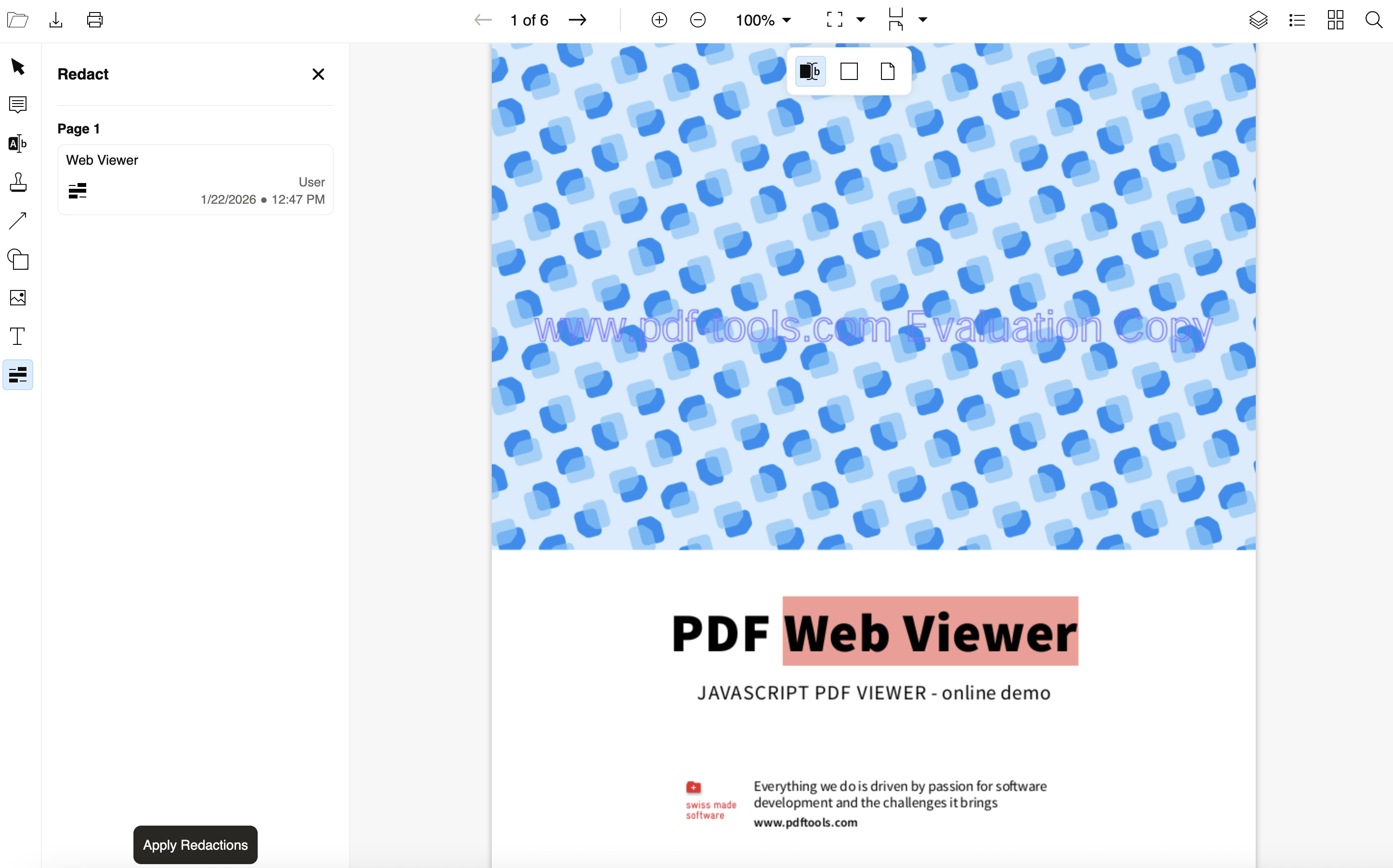
- Viewer users can create redaction annotations by selecting text, drawing rectangles on the document, or redacting the current page or a specified range of pages. A dedicated Redact panel displays all redaction annotations, allowing users to lock them to prevent accidental edits or delete them.
- Viewer users can download a redacted version of the document using Apply Redactions button in the Redact panel. Annotations are not included in the downloaded file.
Changed
- Zoom level change events are debounced, which enhances performance when users rapidly zoom in and out of documents.
- Refactored the PDF Viewer SDK API. As a result, the API has reduced the number of parameters and configuration options, delivering the same functionality with greater simplicity and usability.
- Improved and faster build process, valid source maps, and reliable ECMAScript Modules (ESM) and Universal Module Definition (UMD) bundles.
Fixed
- Replaced delete and lock icons across all context menus with consistently sized icons, making actions easier to identify.
Version 5.12.1
18 December 2025
Added
- Users can add text annotations (free-text notes) to PDFs, supporting rich text formatting with options for font family, font size, text color, alignment, and styles such as bold, italic, and underline. Text annotations can be edited inline, moved by dragging, or deleted.
- Users can now add image annotations to PDFs by selecting and placing an image on the document. Existing image annotations can be moved, resized, deleted, or locked.
- With this release, the PDF Web Viewer enables developers to create custom plugins using a dedicated plugin API. Developers can register, activate, and deactivate plugins, create layers for drawing on the document view, and add buttons to control plugin state.
- The PDF Web SDK exposes accessibility events and keyboard interactions through the
TextSelectionPlugin. ThecursorPositionChangedevent enables tracking of cursor position changes. ThekeyDownevent exposes keyboard interactions. In text selection mode, users can click text to display a cursor. They can move the text using the arrow keys. Users can select text with Shift + Arrow, navigate word by word with Ctrl or Cmd + Arrow, and select word by word with Shift + Ctrl or Cmd + Arrow. - Added support for redaction annotations as a
TextMarkupTypein the PDF Web SDK. As a result, developers can implement redaction annotation creation in their applications.
Changed
-
The
textSelectionChangedevent now provides additional geometry data. This includes selection quadrilaterals with page numbers, start and end page numbers, and the selected text content. The following method was changed:The following methods changed:
textSelectionChanged()- From:
textSelectionChanged: (selectedText: string) => void - To:
textSelectionChanged: (textSelectionData: TextSelection) => void
-
The PDF Web Viewer enhanced web components for improved accessibility, introducing updated button, menu, dropdown, and toolbar components. All components are now fully keyboard accessible and screen reader compatible.
The following methods changed:
hideComponents()- From:
hideComponents: (components: HideableComponentConfigName[]) => void - To:
hideComponents: (paths: string[] | string[][]) => void showComponents()- From:
showComponents: (components: HideableComponentConfigName[]) => void - To:
showComponents: (paths: string[] | string[][]) => void overrideButtonBehavior()- From:
overrideButtonBehavior: (buttonName: string, eventName: string, callback: () => void ) => void - To:
overrideButtonBehavior: (path: string | string[], eventName: OverridableButtonEventType, callback: () => void) => void;
Version 5.11.1
16 December 2025
Fixed
- Fixed license handling to ensure full offline operation.
Version 5.11.0
17 November 2025
Added
- Users can choose whether to include annotations when printing a PDF. The print dialog contains an Include annotations toggle, which is deselected by default. When enabled, the printed PDF includes annotations; when disabled, annotations are not included in the resulting PDF output.
- With this update, users can select and then modify the following annotation types as specified:
- Stamp annotations: Delete, resize, move, and lock.
- Line and arrow annotations: Delete, resize, move, lock, change color, width, and endings.
- Cloud annotations: Delete, resize, move, lock, change outline color, fill color, and outline width.
- Highlight annotations: Delete and change color.
- Custom layers support an optional
disposemethod for lifecycle management. The PDF Web SDK automatically calls this method when the viewer removes pages from the viewport, allowing proper cleanup of resources and event listeners.
Fixed
- Line annotation arrows render with the correct fill color, matching the line stroke color.
- The
PdfTools.documentView.pageChangedevent triggers correctly when scrolling or changing pages. - The
PdfTools.toolbar.zoom.updatedevent triggers for all zoom level changes. As a result, zoom levels function correctly when users adjust them using a touchpad or mouse wheel.
Version 5.10.0
23 October 2025
Added
- The PDF Viewer SDK introduces a print dialog with configurable dots per inch (DPI) settings. The viewer now prints PDFs with vector graphics and text preservation, ensuring high-quality printouts, rather than rasterized, low-resolution bitmaps.
- The toolbar and sidebar are now responsive, automatically adapting to smaller screen sizes. On mobile devices, the left toolbar moves to the top under the fixed header, while the viewer hides the sidebar by default to maximize viewing space. Users can access the sidebar through toggle controls when needed.
- Line and arrow annotations now support opacity customization. Users can adjust the opacity level when drawing or creating these annotations for better visual control and document clarity.
Fixed
- Touch gesture interactions on mobile devices now work correctly. Users can scroll the canvas using swipe gestures and zoom in or out using pinch gestures across iOS and Android devices.
- Line annotation previews now correctly respect the current zoom level. The preview during creation matches the final annotation size and position at all zoom levels, eliminating visual inconsistencies.
- Fixed a memory leak that occurred when loading and navigating large PDFs. The viewer no longer accumulates excess memory, preventing browser crashes and performance degradation during extended use.
- Cloud annotations (annotations with stylized, scalloped borders) are visible in the annotations panel. They display with the same design and behavior as other annotation types, including the cloud icon, metadata, and clickable navigation.
Version 5.9.0
3 October 2025
Added
- The PDF Viewer SDK supports line annotations, enabling users to draw straight lines on PDF documents. Users and developers can customize them with colors, thickness, and line patterns for use cases such as directional markings or visual separation.
- Users can now create arrow annotations to point directions to specific elements in PDF documents. These are a type of line annotation with an arrowhead at the start and/or end, useful for reviews, comments, or instructional documents.
- Cloud annotations have been introduced, allowing users to highlight areas with a stylized, scalloped border. Users and developers can customize the border color, fill color, and line width.
- A new annotation-changed event system triggers when users add, modify, or delete annotations. The system includes a reference to the annotation object for inspection and manipulation, with safeguards against recursive triggering.
- The PDF Viewer SDK now includes a dispose method that cleans all viewer resources, including controllers, document views, annotations, and event listeners. As a result, memory leaks are prevented and repeated creation and disposal of viewers without performance issues is enabled.
Changed
- Refactored the PDF Viewer SDK API to provide a more powerful, scalable, and easier-to-use interface, simplifying extension and customization.
Fixed
- With this update, you can load viewer instances simultaneously. Each instance is isolated from others, preventing interference and conflicts.
- Previously, reopening a document with an active plugin (for example, text markup or notes) caused deactivation issues. This release resolves these issues, allowing you to activate and deactivate plugins reliably. As a result, plugin activation and deactivation now work correctly across document sessions.
Version 5.8.0
16 September 2025
Added
- With this release, the PDF Viewer SDK presents a new annotation viewing panel.
- Viewer users can now navigate documents using a clickable list of headings (also known as the document outline, or bookmarks).
Fixed
- As of this release, the PDF Viewer SDK delivers improved support for large files. This was achieved by raising memory limits and resolving a related processing issue.
Version 5.7.0
03 July 2025
Changed
- With this release, you can work with multiple interactive layers simultaneously, instead of being limited to just one. This enhancement enables the creation of more dynamic and layered PDF experiences.
Fixed
- The worker thread is now properly cleaned up when the
WorkerControlleris disposed, preventing unnecessary background activity. - Page re-rendering now functions correctly after annotations are moved across pages, ensuring that changes appear as expected.
- The
pdfToolsWebSdk.versionproperty previously returned the valuedev. As of this update, thepdfToolsWebSdk.versionproperty returns the correct version string.
Version 5.6.0
09 June 2025
Added
- Viewer users can now add text stamp annotations by choosing from the predefined set of stamps, including texts such as Approved, Confidential, Draft, and many others.
- A loading spinner is displayed while the PDF Viewer SDK is opening a file to provide a progress indicator.
- As of this update, viewer users can create text markup annotation gestures on mobile devices.
Fixed
- Previously, users could not scroll upward when using the fit-to-page mode. This issue has been resolved.
- The background visual for the zoom slider was missing. With this update, the correct background is now restored.
- The
pdfToolsWebSdk.versionproperty previously returned valueundefined. As of this update, thepdfToolsWebSdk.versionproperty returns the correct version string.
Version 5.5.0
29 April 2025
Added
- The PDF Viewer SDK lets you implement text markup annotations, enabling users to highlight, underline, strike through, and create squiggly line annotations in documents.
- With this update, the PDF Viewer SDK includes an accessibility layer, improving usability for users who rely on assistive technologies. For more information, review Enable accessibility layer section.
- You can add custom headers using HTTP requests when opening a document, improving integration flexibility. For more information, review Provide custom HTTP headers when opening a document section.
- As of this update, the viewer users can hide the annotation bar.
Fixed
- Previously, under certain circumstances, a part of a sticky note bar remained displayed upon closing a sticky note. This update resolves the described issue.
- To improve consistency and maintainability of the component’s styling, the CSS variables referenced in the styles are now defined adequately with default values.
Version 5.4.0
26 March 2025
Added
- With this release, you can drag sticky note annotations between pages.
- You can customize the color theme of the PDF Viewer SDK using the following set of 6 CSS variables:
--background-color--color-text-primary--color-text-secondary--hover-background-color--secondary-color--active-color
Changed
- In the PDF Viewer SDK API:
- Functions responsible for emitting events have been renamed from
eventname()toemitEventname(). As a result, it is clear that the purpose of these functions is to emit events. - The parameter name for callback functions has been changed from
fntocallback.
- Functions responsible for emitting events have been renamed from
- New PDF Web SDK API methods simplify conversion between PDF and document viewpoints, making custom layer implementation easier. For more details, review Page class API reference.
Fixed
- An issue where the cursor was stuck in the loading state has been resolved.
- Previously, the thumbnails would not have been updated if the document had been changed. With this release, the issue has been resolved.
Version 5.3.0
27 February 2025
Added
- With this release, you can interact with link annotations that navigate you to external resources or specific locations within the PDF.
- Developers can now implement custom text markup annotations through the PDF Web SDK. This feature lets you create, edit, and delete highlights, underlines, squiggly lines, and strikethroughs, as well as customize their color. For more information, review Class: TextMarkupAnnotation in the PDF Web SDK API references.
Version 5.2.0
7 February 2025
Added
- With this release, you can add, create, edit, and delete sticky note annotations. A new annotation contextual menu lets you add text, edit the color of annotations, and lock the annotation to prevent accidental edits.
Changed
- With this update, the new layering mechanism separates search and text selection. As a result, the performance of the PDF Viewer SDK is now improved.
Version 5.1.1
21 January 2025
Added
- With this release, you can override the save button behavior to initiate custom actions. For more information, review Modify save button behavior section.
Changed
- Previously, when you opened a corrupt PDF, the PDF Viewer SDK auto-repair feature tried to fix the corrupted file. As a consequence, fixing the file could invalidate some digital signatures. With this update, you can disable the auto-repair with a boolean to prevent unwanted modifications of the original documents. For more information, review Disable auto-repair feature section.
Version 5.1.0
18 November 2024
Added
- The PDF Viewer SDK can now navigate you to the selected search result.
Fixed
- PDF Viewer SDK Licensing is now pointing to the correct endpoint.
- Before this update, there was a race condition when initializing the PDF Viewer SDK with the Angular framework. With this update, the issue was fixed.
- Under certain circumstances, the PDF Viewer SDK could capture events outside of the canvas. As of this update, the underlying issue has been fixed, and the canvas size is the only space where you can capture events.
- The API references and their generation process have been updated.
Version 5.0.0
11 September 2024
Added
-
The PDF Viewer SDK architecture was rewritten entirely. As a result, the SDK now consists of two packages:
- PDF Web Viewer: An SDK that lets you implement PDF viewer capabilities with search.
- PDF Web SDK: The functionality the PDF Web Viewer requires and additional features that let you completely customize the SDK.
It’s recommended that you try the PDF Web Viewer first. The PDF Web Viewer lets you customize some functionalities. You can implement your own PDF viewer using the PDF Web SDK if you have specific requirements. Implementing the PDF Web SDK lets you create a customized viewer from scratch but requires more development effort than the full PDF Viewer SDK.
-
The PDF Web Viewer is now working on both desktop and mobile.
-
Only the free Viewer-only version is available.
Previous versions
While the PDF Viewer SDK version 5 introduces new and improved functionality, it is also incompatible with implementations of the PDF Viewer SDK version 4. Hence this page provides release notes for version 5.0.0 and later. For previous release notes, refer to the version 4 release notes.